




Some days of being a mom honestly feel like I’m running a whole country. All of the activities, such as scheduling, planning meals, managing moods, answering questions, and solving conflicts, take up my whole day. And while I’m somewhere between the school drop-off and the bedtime routine, I ask myself if there is a simpler way.
So, I turned to technology for a little support in a demanding world.
If you have ever dreamt of having your morning run smoothly, less fighting over screen time, or a better way of keeping track of all that is going on in your family life, then you have come to the right place.
We will discuss how you can make your mom’s life easier with technology.
How Can Technology Help You Manage Children
One important thing that I had to remind myself about technology was that the feeling of being overwhelmed is what causes us to think that we are merely reacting to new apps, new platforms, new rules, and new risks, whereas in reality, we should be using technology in a way that suits our family.
When I changed my attitude from “How do I keep up?” to “How can I use technology to make life easier?”, the whole situation was different.
I no longer made a series of random downloads and decisions in a rush but instead began to ponder questions such as:
- Does this help us stay organized?
- Does this make learning or communication easier?
- Does this support safety and independence?
- Does it simplify life or clutter it?
And that’s where the real transformation began. Technology became one less thing to worry about.
So as we walk through the next ideas together, think of this as building your own “digital support system” that gives you a little more breathing room.
1. Online Safety & Peace of Mind
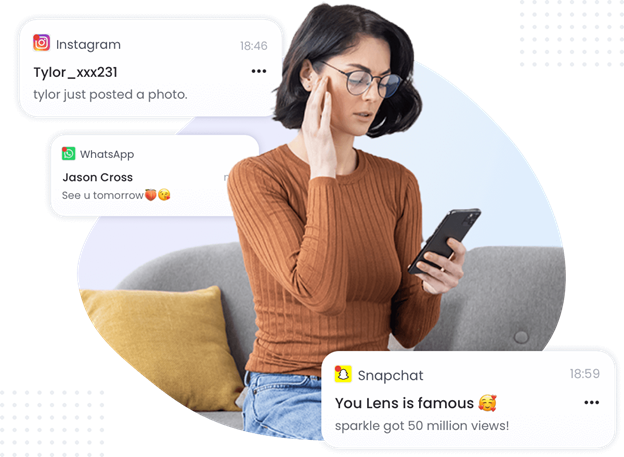
Without a doubt, if there is one area where technology has the most influence on parenting, then it has to be safety. Kids are texting earlier than they should. Using messaging apps. Joining group chats. Clicking links. Encountering strangers online long before they fully understand digital boundaries. You need a tool to monitor your kids.
Parenting apps are plenty, but AirDroid Parental Control is different because it not only facilitates the establishment of digital habits and communication, but it also supports healthy interaction.
It is beneficial to a mom in the following ways:
- Real-Time Screen Mirroring
If you’re unsure what your child is doing online, you can see their screen activity without guessing or confronting. - Smart Screen-Time Limits
Instead of constant arguments, limits become automated and consistent. - App Management & Blocking
If a risky or inappropriate app suddenly appears, you’ll know. - Location Tracking & Geofence Alerts
You can get notified when your child leaves or arrives somewhere, be it school, home, or a friend’s house. - Content Monitoring & Keyword Alerts
If harmful messages, bullying, explicit content, or suspicious contact appear, AirDroid alerts you instantly.
What I appreciate most is the balance. I’m tracking my kid without having to hover over their screens and looking like a “nagging” mom.
2. Smart Scheduling
One of the biggest stressors in motherhood is the constant need to remember everything. Field trips. Sports. Picture day. The birthday card you forgot to sign. The library book you swore you’d return last week.
Digital planners and family calendar apps can become a lifeline.
Tools like Google Calendar or Cozi allow you to:
- Share schedules with partners or older kids
- Set recurring reminders
- Assign tasks
- Make routines predictable
I remember the first week I automated reminders. No one asked me what time practice was. No one panicked about homework. No one cried over missed dress-up day. It felt like finally exhaling.
3. Learning & Creativity Apps: Turning Screen Time Into Growth Time
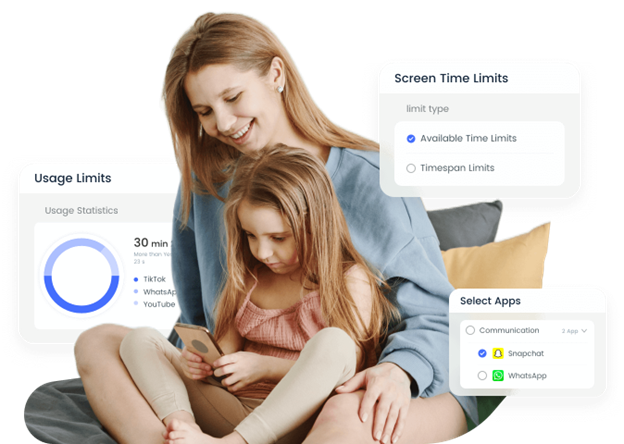
There was a time when “screen time” felt like a tangled mix of guilt and convenience. On busy days, screens bought me silence, but I always wondered, Is this helping or just filling time?
Then I learned that children can carry out their learning through technology, and they can also use it to research, create, and develop, provided that the right apps are available.
Today, educational apps can do everything from teach reading and math to languages, science experiments, and even music theory. And creativity apps? They’re like handing your child an art studio, a storytelling toolkit, and a digital LEGO set all in one.
The shift happens when screen time turns into:
- a moment of exploration
- a quiet space for creativity
- a chance to build confidence
- a way to support school learning in a fun, gentle way
When that happens, screens stop feeling like a battle and start feeling like a resource that encourages imagination instead of replacing it.
Sure, the matter of balance remains. Children are still entitled to nature, boredom, mess, laughter, and tactile play. However, in cases where technology is used with clear intent, it can be considered as an additional instrument in their world rather than the one that dominates it. Pair them with Airdroid Parental Control to make sure your kids stay safe while on the internet.
4. Let Tech Handle the Repetitive Tasks
Somewhere along the way, I realized that parenting is also about managing a household that never stops moving. That can be exhausting.
That’s where smart home tech has quietly become one of my favorite kinds of support.
A simple voice assistant can help start the day with reminders, timers, alarms, and even a little encouragement because sometimes kids listen to a device more than a parent, and I’m choosing not to take that personally. Smart reminders can help with things like:
- “Time to get dressed.”
- “Pack your backpack.”
- “Feed the pet.”
- “Brush your teeth before bed.”
And suddenly, routines don’t rely on repeating yourself endlessly.
There are also digital grocery lists that update automatically, shared notes space for family duties, or smart timers for reading time, chore time, or break time. These may seem like little things, but with every automation, one less responsibility on your mental plate.
Tech won’t lay kids down or fix every cry, but when it handles the repetitive chores, there’s more time for hugs, talk, jokes, and a loving feel. And isn’t that the whole point after all?
5. Tech for Moms Too
Somewhere between everyone else’s schedules and responsibilities, moms tend to put themselves last. But technology can support your wellbeing, too.
Try:
- Meditation apps
- Fitness programs you can do at home
- Digital journals and habit trackers
- Grocery subscription services
Self-care can be simply about reducing decision fatigue. Because when you feel centered, parenting feels lighter.
Parenting Gets Easier When Tech Works With You
Raising kids is about setting up help that eases life. Tech, when used with care, can make moms feel more in charge, less swamped, and more here.
Tools such as AirDroid Parental Control serve to emphasize that digital parenting is not, and should not be, about vigilance or anxiety. You can be confident that your child is safe and that you’re supported too. And maybe, just maybe, you get confidence that you’re doing an incredible job because you are.


